


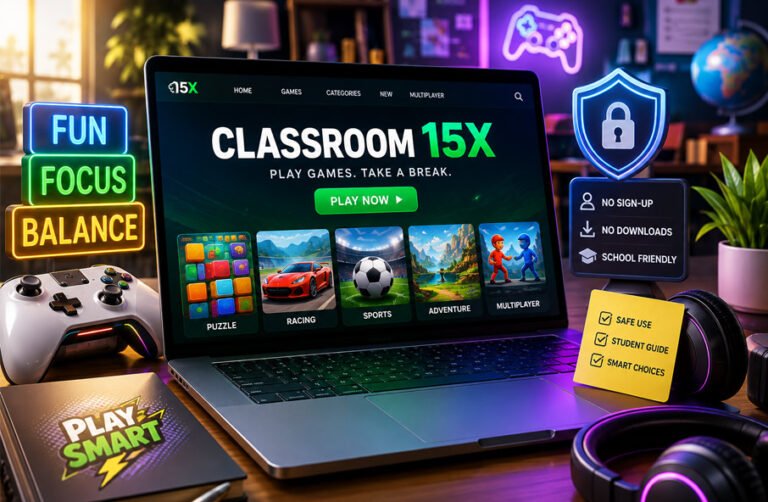
Classroom 15X is mainly known as a browser-based gaming website that offers a large collection of online games. Students often search for it because the games can be played directly in a web browser without installing a normal game or app.
The site is often connected with Chromebooks, school breaks, and so-called “unblocked games.” However, Classroom 15X is not the same as a formal learning platform such as Google Classroom or Kahoot. This review explains how Classroom 15X works, what games it offers, which devices it supports, whether it has educational value, and what students and parents should know about safety and privacy.
What Is Classroom 15X?
Classroom 15X mainly refers to Classroom15x.com, a website that provides free browser games. Users can visit the site, choose a game, and normally start playing without downloading a separate application.
The website contains casual games from many genres. Some focus on puzzles and problem-solving, while others are racing, sports, action, multiplayer, horror, or arcade games. This means Classroom 15X should be understood mainly as an entertainment website rather than a dedicated educational service.
The current website was operating by at least March 2025. However, a clear official launch date has not been confirmed. Public information also does not clearly identify an individual founder or the legal company behind the platform.
The name can also cause confusion. Some online articles describe “Classroom 15X” as a modern teaching framework based on active learning, technology, flexible classroom layouts, and student participation. However, even sources discussing this idea admit that there is no widely accepted timeline or clear research base defining the framework.
For this reason, the browser gaming website and the reported educational concept should not be treated as the same thing.
How Does Classroom 15X Work?
Classroom 15X works through a normal web browser. Users open the site, browse the available categories or game collections, choose a title, and play it from the game page.
There is usually no need to download a traditional installer or install a separate mobile or desktop app. This makes the site convenient for devices such as Chromebooks, where installing software may be restricted.
Basic gameplay appears to be available without a required account. One of the supplied sources also describes Classroom 15X as offering quick access without downloads or subscriptions. However, the website has also displayed Login and Sign Up options, so it would be inaccurate to say that account features do not exist at all.
How well a game works depends on the individual title. Some games use a keyboard and mouse, while others may support touch controls. More demanding games may also depend on browser performance, hardware, and graphics support.
Classroom 15X often uses the term “unblocked games.” This does not mean the website can always be accessed on every school network. Schools can block websites independently, and students should follow their school’s internet rules rather than trying to avoid restrictions.
Games and Categories on Classroom 15X
Classroom 15X offers a large collection of browser games. The website has promoted hundreds of titles, including more than 400 games through parts of its game library. That number should be treated as the site’s own description because the collection can change over time.
The main categories include Puzzle, Arcade, Adventure, Driving, Sports, Simulation, Shooting, Horror, Funny, Idle & Clicker, Multiplayer, and Mobile-Friendly games.
The website also organizes games into collections such as New Games, Hot Games, Rising Stars, and Random Games. These sections make it easier for users to find recent additions or popular titles.
Games that have appeared on Classroom 15X include 2048, B-CUBED, Run 2, Snake.io, Slope, Stickman Hook, Fireboy and Watergirl, Granny, 8 Ball Pool, and Soccer Skills World Cup.
The variety is important when judging whether Classroom 15X is educational. Puzzle and strategy games can require planning and logical thinking. Racing, shooting, horror, and casual arcade games are generally more focused on entertainment.
One of the supplied sources similarly separates the library into puzzle and strategy, multiplayer, racing and driving, educational or skill-based, and action or survival games.
Game availability can change as the website adds, removes, or reorganizes titles.
Does Classroom 15X Work on Chromebooks and Phones?
Classroom 15X is designed around browser access, which makes it usable on several types of devices.
Chromebooks are one of the most common devices associated with the platform because they are widely used in schools and are built around browser-based applications. Classroom 15X can also be accessed from Windows and Mac computers, laptops, tablets, and some smartphones.
The supplied material also describes the service as usable on Chromebooks, laptops, tablets, and phones without installing a separate app.
However, this does not mean every game works perfectly on every device.
A game designed around keyboard controls may be difficult to play on a phone. Some games may work well with touchscreens, while others may need a mouse. Performance can also depend on the browser version, available memory, graphics support, internet connection, and the game itself.
Some third-party sources give exact requirements such as 2 GB of RAM or a 1 Mbps internet connection. They also claim that many games work offline. These details have not been reliably confirmed for the main Classroom15x.com platform, so they should not be treated as official system requirements.
For normal use, a modern browser and an active internet connection should generally be expected.
Is Classroom 15X Really Educational?
Classroom 15X is not a complete educational platform.
It does not appear to provide a structured curriculum, full courses, formal assessments, teacher dashboards, or verified academic progress tracking. One of the supplied sources also directly describes Classroom 15X as not being a formal learning tool and notes that it lacks full curricula and teacher progress systems.
That does not mean every game has no learning value.
Puzzle and strategy games can require logical thinking, planning, memory, pattern recognition, and problem-solving. These skills can overlap with abilities students use in subjects such as mathematics and reading.
Some multiplayer games may also involve communication, teamwork, or quick decision-making. However, these benefits depend on the particular game and how it is used.
Other categories have much less direct connection with school learning. A racing game, horror game, shooting title, or simple arcade game may mainly be entertainment.
Some third-party articles make much stronger claims. For example, one source says Classroom 15X can improve learning retention by around 30 percent. No clear Classroom-15X-specific study was provided to support that figure, so it should not be presented as a proven result.
A better way to describe the educational value is that some Classroom 15X games may involve useful thinking skills, but the platform itself is not a formal educational program.
Classroom 15X as a Short Brain Break
Many students use browser games during recess, lunch, free periods, or between study sessions. Classroom 15X fits this type of use because games can normally be opened quickly without a long setup process.
A short game can give a student a break from reading, writing, or other focused work. Some students may feel more relaxed after a brief recreational activity.
The important part is keeping the break short.
A practical limit of around 10 to 15 minutes may help prevent a quick game from taking over study time. One supplied source also recommends setting short time limits and treating gaming as a planned break rather than a replacement for studying.
This time limit is practical advice, not an official Classroom 15X rule.
Easy access is both a benefit and a drawback. A student can start a game quickly, but the same convenience can make it easy to keep playing longer than planned. Classroom games should therefore be kept separate from lessons unless a teacher has allowed them as part of an activity or break.
Is Classroom 15X Safe for Students?
Classroom 15X cannot simply be described as safe for every student.
The website promotes its games as suitable for school use, but its library includes many different types of content. Categories such as Shooting and Horror are available alongside puzzle, sports, and casual games.
Some titles may contain cartoon violence, frightening themes, competitive content, or other material that may not suit younger children. One supplied source specifically warns that not every title is appropriate for every age and recommends checking individual games.
Parents and teachers should therefore judge individual games rather than assuming the whole website is child-friendly.
Advertisements are another factor. Classroom 15X displays advertising, and ads may involve third-party services. Students should avoid clicking unusual advertisements, opening unexpected external pages, or downloading files that are not clearly necessary to play a game.
The presence of a privacy policy and terms page is useful, but it does not prove that the website has passed an independent security review. During the research, no strong independent security audit or certification was found for Classroom15x.com.
For younger users, adult supervision and normal browser safety practices are sensible.
Privacy, Cookies, and Advertising
Some third-party articles claim that Classroom 15X collects no personal information. That description is too broad.
The website’s published privacy information discusses normal web log data. This can include information such as IP addresses, browser type, internet service provider, date and time, referring and exit pages, and possibly information about clicks.
The site also discusses cookies. Cookies can be used to remember preferences, understand how people use a website, and support advertising.
Advertising is an important part of the privacy picture. The site’s policy refers to Google as a third-party advertising vendor and discusses advertising technologies such as cookies and web beacons. Third-party advertising companies can have their own privacy practices.
This means that playing without creating an account does not necessarily mean a user is completely anonymous or that no information is processed.
The privacy policy also says that the website does not knowingly collect personally identifiable information from children under 13 and asks parents or guardians to contact the operator if they believe a child has provided such information.
The policy discusses rights connected with laws such as the GDPR and CCPA, including access, correction, deletion, and other data rights. These are statements made in the website’s own policy. They should not be treated as proof that an outside regulator has independently certified the site’s compliance.
One of the supplied sources claims Classroom 15X does not collect data or track users. That claim conflicts with the privacy information published for Classroom15x.com. The safer conclusion is that basic gameplay may not require registration, but the website can still process technical, cookie, and advertising-related data.
Can Classroom 15X Be Used at School?
Classroom 15X can be used on some school devices because it runs in a browser, but that does not mean every school allows it.
The site often describes its games as “unblocked,” but this should not be treated as a guarantee. Schools can block websites through their own network filters, device settings, or acceptable-use policies.
Students should only use Classroom 15X when gaming is allowed. If a school has blocked the site, students should not try to bypass that restriction.
There are also other websites with similar names, including sites that present themselves as mirrors or alternatives. Their official relationship with Classroom15x.com is not always clear. Using unofficial mirror sites can also create extra privacy or security risks.
For school use, the best approach is simple. Teachers should check the site first, review the game they want students to use, and make sure it fits school rules.
Benefits of Classroom 15X
Classroom 15X has several practical benefits for casual browser gaming.
One of the biggest advantages is easy access. Users can usually start a game directly in the browser without installing normal desktop or mobile software.
The site also offers a wide range of genres. Students can choose puzzle, arcade, sports, racing, simulation, multiplayer, and other types of games.
Some puzzle and strategy games can involve useful skills such as planning, logic, memory, and pattern recognition. These games may be more suitable when someone wants a short break that still involves thinking.
The platform also works on common browser-based devices, including Chromebooks, computers, tablets, and some phones. This makes it easier to use on devices where installing software is limited.
Other useful points include:
- free access to many games;
- quick loading and simple navigation;
- no normal app installation;
- a large and changing game library;
- some mobile-friendly games;
- possible use for short recreational breaks.
These benefits are practical rather than academic. Classroom 15X should not be treated as a replacement for structured learning tools.
Drawbacks and Limitations
The biggest drawback of Classroom 15X is distraction.
Because games are quick to open, students can easily spend more time playing than planned. What starts as a short break can become a problem if it interrupts lessons, homework, or study time.
The educational value also varies a lot. Puzzle games may support thinking skills, but many arcade, racing, horror, shooting, and action games are mainly for entertainment.
Content suitability is another concern. Some games may not be appropriate for younger students. Parents and teachers should review individual titles instead of assuming every game is suitable for school.
Advertising is also part of the experience. Ads and third-party services can create privacy concerns or lead users to external pages.
Other limitations include changing game availability, different performance across devices, possible school network blocks, and limited public information about the site’s ownership and exact history.
Classroom 15X Educational Framework: Fact or Confusion?
The name Classroom 15X is also used in a very different way online.
Some articles describe it as a modern teaching framework focused on active learning. These articles connect Classroom 15X with ideas such as flexible classroom layouts, teamwork, technology, student participation, hands-on activities, and short learning sessions.
These ideas are not unusual in modern education. Teachers have used group work, active learning, flexible seating, and digital tools for years.
The main problem is that there is no clear evidence showing that all of these ideas belong to one officially defined system called Classroom 15X.
One of the supplied sources openly says that there is no widely accepted timeline or study showing where the Classroom 15X trend started or how widely it is used.
There are also different explanations for what “15X” means. Some sources connect it with 15-minute activity periods. Others suggest small class sizes or the idea of making teaching “15 times” more effective.
None of these meanings has been clearly established as the official definition.
For this reason, readers should separate the real Classroom15x.com gaming site from broader articles that use the name for an educational concept.
Classroom 15X Claims That Are Not Confirmed
Several third-party websites describe Classroom 15X as having advanced educational tools. Many of these claims could not be reliably confirmed for the main Classroom15x.com gaming website.
One source claims the platform includes AI-assisted lesson planning, curriculum automation, scheduling tools, attendance tracking, and integrations with services such as Moodle, Blackboard, Google Classroom, Zoom, Kahoot, and Duolingo.
Reliable first-party evidence for these features was not found.
Other unconfirmed claims include a disguise mode that makes the site look like Google Classroom, a panic button that redirects the screen, adaptive learning, stealth assessment, offline gaming, and automatic student progress tracking.
Some sources also make strong performance claims. These include statements that Classroom 15X can improve learning retention or engagement by about 30 percent.
No clear Classroom-15X-specific study was provided to support that number.
There is also a direct privacy conflict. One source says Classroom 15X does not collect or track user data. However, the website’s own privacy policy discusses cookies, log information, IP addresses, and third-party advertising.
Readers should therefore be careful with very specific claims unless they are supported by current first-party documentation.
Tips for Using Classroom 15X Responsibly
Classroom 15X is easier to use responsibly when students set clear limits before starting.
Use it only during permitted breaks or free time. Avoid opening games during lessons unless a teacher has approved them.
A short timer can help stop a quick break from becoming a long gaming session. Around 10 to 15 minutes is a practical limit for many students.
Choose games carefully. Puzzle, logic, and strategy titles may be better choices when the goal is to stay mentally active.
Parents should check individual games for younger children, especially titles in horror, shooting, or action categories.
Users should also be careful with advertisements and outside links. Do not enter unnecessary personal information or download unexpected files.
Keeping the browser updated can also improve security and game compatibility.
What to Do If Classroom 15X Is Not Working
If Classroom 15X does not load correctly, the problem may come from the browser, internet connection, device, network settings, or the individual game.
First, refresh the page and check that the internet connection is working.
If one game does not load, try another title. This helps show whether the problem affects one game or the whole website.
Using an updated browser can also help. Some games may depend on modern browser features such as JavaScript or WebGL.
Browser extensions can sometimes interfere with game pages. If allowed and safe, users can check whether an extension is causing the problem.
Older devices may struggle with more demanding games. In that case, a simpler title may work better.
If the site has been intentionally blocked by a school or workplace, the correct solution is to follow the network policy. Users should not try to bypass administrator restrictions.
Bottom Line: Is Classroom 15X Safe and Useful?
Classroom 15X is best understood as a free browser-game website rather than a complete educational platform.
It can be useful for short recreational breaks, especially when students choose puzzle or strategy games and keep their play time under control. The large game library and browser-based access also make it easy to use on many common devices.
At the same time, the platform has clear limits. Not every game is educational or suitable for every age group. Advertising, privacy practices, school rules, and the risk of distraction should also be considered.
Parents and teachers should review individual games instead of treating the whole site as automatically safe or educational.
Many advanced features claimed by third-party websites, including AI lesson planning, Google Classroom integration, stealth assessment, and large improvements in learning, remain unverified.
Frequently Asked Questions
Is Classroom 15X free?
Classroom 15X currently presents its browser games as free to access. No standard paid subscription plan was confirmed in the collected information.
Do you need an account to use Classroom 15X?
Basic gameplay appears to be available without mandatory registration. However, Login and Sign Up options have appeared on the website, so account features may exist.
Is Classroom 15X safe for kids?
It depends on the child and the game. The site includes puzzle and casual titles, but it also has horror, shooting, and action games. Parents should review individual games for younger users.
Is Classroom 15X an educational website?
Not mainly. Classroom 15X is primarily a browser gaming site. Some games may involve logic, memory, or problem-solving, but the platform does not provide a full curriculum or formal learning system.
Does Classroom 15X work on Chromebooks?
Yes, many browser-based games can work on Chromebooks. Performance depends on the game, browser, device, and school network settings.
Can Classroom 15X be blocked by schools?
Yes. A school can block Classroom 15X even if the site describes its games as “unblocked.” Access depends on local network rules.
Does Classroom 15X collect user data?
The site’s privacy information discusses technical data such as IP addresses, browser details, cookies, and advertising-related information. This means users should not assume that no data is processed.
Does Classroom 15X have a panic button, AI tools, or Google Classroom integration?
Some third-party websites claim these features exist, but they were not reliably confirmed for the main Classroom15x.com gaming platform.
More To Explore:
VIPLeague Guide: Features, Supported Sports, Safety, and Common Problems
